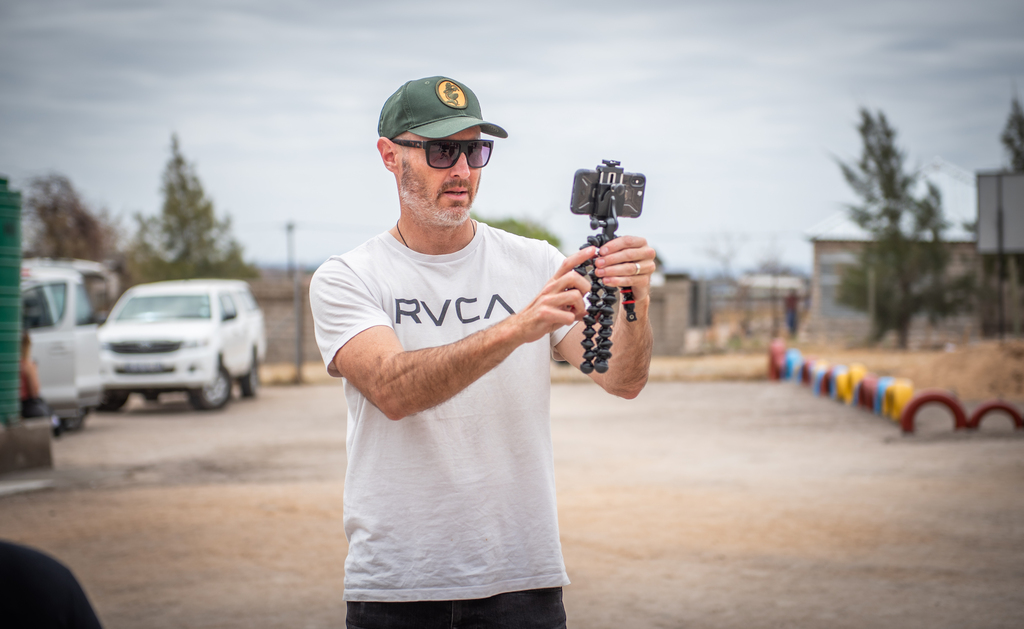
Smartphones are bound to us just like a wallet, car keys or handbag. They are a virtual extension to our being, and like it or not they are here to stay.
It’s a little surprising then that most of us probably use about 10% of its capabilities, a bit like our brains, according to that age-old myth, which by the way is just that, a myth! With a little know-how, however, one’s smartphone can be way more than just a device to browse social media or read the latest news.
On the device you’re quite probably reading this blog on right now, is a powerful camera capable of taking high quality photos and videos, amazingly not only limited to top-of-the-range smartphones. Even on a standard smartphone, today’s camera capabilities are astounding!
You just need a few tips and tricks and here they are. 🙂
Creating Better Smartphone Images
-
Capture Multiple Shots
Behind most amazing selfies you see online are a dozen or more unused photos. But on a serious note, digital is not restricting, other than your phone storage but you can always delete the unused ones afterwards. Once you’ve taken a set of burst photos, you can then select the best shots and remove the rest.
-
Understand Framing
Framing your photos may require a bit more creativity, but that doesn’t mean you have to line everything up all by yourself. Your smartphone camera to assist you when it comes to framing and composing your shots. On Android select ‘Grid Lines’ in your camera settings and choose between a rule-of-thirds overlay or a square overlay for perfectly framed Instagram images. With iOS simply enable ‘Grid’ to use a rule-of-thirds overlay.
-
Use natural light wherever possible
While most smartphone cameras have incredible capabilities nowadays, the flash of the LED light is less than flattering. This single source light emitting from the phone often makes images look harsh and odd coloured, compared to light being diffused from multiple sources.
-
Don’t use the Digital Zoom
Digital zoom reduces the resolution of the image, so it almost always produces poor results.
Avoiding digital zoom is one of the basic photography tips for taking better photos. This does not apply to optical zooms which are fine, and these fortunately becoming more common on smartphones.
-
Use HDR mode
It does take up more storage space, but HDR mode is the only way to get fabulous photos. HDR mode stands for High Dynamic Range, and most smartphones have it these days
HDR adds detail from the dark and light areas to provide better balanced exposure, so, for example, it will stop the sky being too bright or the ground being too dark. It works well with landscape photography, so if there’s a big difference between the lightest and darkest parts of your scene, HDR could be the solution.
-
Use editing tools
Your camera phone will have basic editing tools. Use them! Both Google and Apple’s app stores offer a massive selection of more advanced editing apps, ones that also make it really simple to get great results. Postproduction using an app is bound to take your images from okay to great. Just remember though, these apps perform better when they have good material to work with.
-
Experiment with exposure
Exposure can make or break any photo and can often be the difference between showcasing a subject at its best, or ending up with a shot that is unusable. Always tap the screen to lock focus on the subject you’re photographing particularly when shooting people against skies. It prevents you from having dark images.
Creating Better Smartphone Video
-
Landscape
Unless you’re filming specifically for vertical oriented services like TikTok, YouTube Shorts or Instagram Stories always choose landscape for the best results.
Landscape is more aesthetically pleasing in general, and it’ll also make it more enjoyable to watch when viewed on a TV, monitor, tablet, or a phone being held in landscape. Plus, you can capture more on this mode than vertically.
-
Framing
Some people just seem to have an eye for shooting good footage, right? A lot of this has to do with understanding how to frame the shot. Fill the frame with your subject or put them slightly off-centre to create a more visually interesting scene. Just play around and see what looks best. But always be mindful of whether the background augments or distracts from the main subject.
Use grid lines and the rule of thirds as mentioned under the photo tips. It’s a game changer!
-
Zoom and Flash
The same rules apply for using digital zooming and the flash, as mentioned under the photographic tips. Unless your smartphone has an optical zoom, avoid this. The LED lights used as a flash are almost always too bright and tend to skew the colour spectrum.
-
Backlighting
Avoid heavily backlit settings. While you may be able to see people and their faces when they’re backlit, your smartphone camera usually can’t and will output footage with a bright light haloing a dark figure, unless your phone has some really advanced HDR capabilities.
-
Stable, smooth footage
One of the best innovations to have emerged in recent times is electronic and optical image stabilisation. This cutting-edge feature is designed to minimise the impact of shaky hands when capturing images or videos without a tripod.
However, when it comes to dynamic scenarios like tracking a subject in motion or creating seamless panning shots around objects or people, the ultimate solution lies in obtaining a physical gimbal that seamlessly integrates with your smartphone. By opting for this combination, you can achieve amazing smoothness and precision in your mobile cinematography endeavours.
-
Find the editing that works for you
As mentioned under the photographic tips, there’s a plethora of video editing apps available and they almost always offer a trial period. You will be amazed at the results you can achieve even with less than perfect footage. Try them and do a little postproduction to take your video to the next level.
MUST READS
- WHY SHORT AND LONG-FORM VIDEO CONTENT IS IMPORTANT
- HOW TO MAKE A VIDEO FOR YOUR BUSINESS OR NPO
- 5 SECRETS TO VIDEO MARKETING
- WHY A VIDEO STRATEGY IS IMPORTANT TO GROW YOUR BUSINESS OR NPO
- INSTAGRAM ALGORITHM – WHAT YOU NEED TO KNOW